(呢篇文在 2007 年喺 b.fleur.hk 首先發表)
要營運一間搵到錢既網上公司一啲都唔易。以下係小小貼士希望大家行少啲冤枉路。
0. 香港公司註冊
以前開公司都幾煩。無限公司去e-registry自作業。有限公司都係俾 d 錢搵 agent。Google 大把。
1. Marketing Marketing Marketing!
宣傳係好重要既。 因為無論你個 Website 做得幾好, 無人去你個 website, 有咩嘢意思?
做 online marketing 你可以試下買 Google Adwords。Yahoo! 就唔係好得,成日有 SEO 公司同您 sell 埋簽一年包 X 個 keywords 就唔好上錯賊船。Facebook 就一時時 OK。
Google Place 記住要做。唔洗錢的。
又不妨自己可以試下做 search engine optimization, 同埋設計下的宣傳品同單張派下咁。但係唔該唔好搵 SEO 公司幫你增加流量,因為你 quantify 唔到佢既工作其一,佢地既所謂 report 係超級搵笨。有錢要找個天下無敵既 developer 同你做好個有 business model 既 website!
學人地做一個 iPhone/iPad/Android app 做 brochure 未必有用。用 Onswipe加 Wordpress 咪得喇。如果你既 App 有 Gimmicks 的話,就儘管去把!
2. 善用 Web 2.0 年代的新技術
Webhosting:
做一個好網站,page loading 一定要快。最好就要喺 4 秒之內要完成。所以一間快既 webhost 係好重要。要再改善 page loading 時間,不妨用 Linode 或者 Amazon S3 去做分流。例如 HTML 源碼可以放在 webhost,Image 同埋 Flash 檔案放在 Amazon S3。Linode 呢 D 公司有Load balancer同埋Backup,至少夜晚訓得落。
DNS:
大家千奇唔好忽略 DNS,佢對你 website 既速度有少少影響。如果你係用 Godaddy 呢類 domain registry,佢地係會送 DNS 服務的。用 .hk 域名係冇的,所以要自己 setup。好多 VPS 好似 Linode 會俾你任開 DNS zone,要想再快同 professional 的話就用 DNS Made Easy。
Blog:
你可以用 Google Blogger 去 host 你個 blog。現在你重可以用自己既 domain 同埋 subdomain 去 用 Blogger。 Wordpress都 OK,但係記住要 update﹐唔好俾人 hack。
流量統計:
用 Google analytics 可以知道有幾多人入去你既地的網站。以前無 Google Analytics,做流量統計又要行 Analog, 一係用 AWstats。 現在有 Google Analytics, 看 trend report 真簡便!
3. 電腦軟硬件
要善用 open source 軟件。呢家唔使樣樣都俾錢做既! 好似用 Linux 去行 server,用下 Django 同埋 Java 去做下 shopping cart。Database 用下 MySQL 同埋 PostgreSQL。唔洗樣樣都 Microso~1 前 Microso~1 後。 最好自己寫 Shopping Cart,話哂你係做 online business 喇? 真係想懶的話可以參考 Magneto。
E-mail 系統就一定用 Google Apps Standard喇。費鬼事自己 setup。
記住用 Exchange 去 setup 你公司既 iPhone/Android 手機,呢家唔興 Blackberry 喇,so 2007。
電腦一定要 Mac 機﹐唔洗煩 Viruses (暫時...) 同埋可以用 Time machine。今時唔同往日,Mac 要用 Windows 的話可以行 VMWare Fusion。
番大陸幹活就一定要有VPN,唔係就去唔到 GMail 同 Facebook。冇朋友者的話就自己 setup: 去 Linode 伸請一個 slice,再 install pptpd。
4. 電話系統
如果你想要個 "2/3" 字頭的電話number, 可以用 NWT 隨身固網電話。 幾蚊就有個 "2/3 number forward 去任何香港電話 number。 固網假裝做手機。但係轉電話號碼要 call 佢地 hotline,有小小麻煩。
又可以試下 HKBN 寬頻電話。可以周圍用, 屋企又得,office 又得。依家唔使一定用固網電話既! (記住唔係 '2b' 用 USB 嗰種。係有個電話盒嗰種。)
有冇想過電話唔洗下下一定用 Land line 先得?介紹大家用下 VoIP。用 Asterisk 去 setup 你地公司既 dial plan, 打入同出可以飛黎飛去。再勁 D 的話可以寫 program 去控制 (Tropo, Twilio)!
Fax 機可以試下 HKBN Fax-to-emai 呢一類 service。但係,千其唔好用 "e-fax". 佢係黑店之中的黑店!! 唔信就去 sippey.typepad.com 度睇下。
2011/07/19
2011/01/19
Plans to revive HK Junkcalls

I have to admit that HK Junkcalls is absolutely a product by accident. So far it has been downloaded over 100,000 times for the past 10 months.
The application does its work by importing numbers marked as junk call to your iPhone address book. Initially, the program only needs to import 2000 numbers. However, the list is slowly growing all the way to 8000 numbers and counting.

The addressbook in your iPhone is actually powered by an sqlite database. The bigger the list, the slower the your iPhone can properly lookup a phone number, which affects the performance of receiving a phone call. Above all, syncing the huge list of address book with your Mac is definitely not something very funny.
The good news is, iOS 4.2 and above let you put address book numbers "on your iPhone" only (first tipped off by a kind poster at mac.hk).
Therefore, I will restart developing the HK Junkcalls iPhone app more actively.

2011/01/07
2010/12/27
iPhone Adhoc Over-the-air install
It is always a tedious task to build an ad hoc IPA app for beta tester to try out your iPhone app. First you need to ask them the UDID, which they may helpfully give you a screenshot of iTunes... then you have to build an IPA, and prayed that they know how to do anything with the IPA.
Now, there is this "Hockey" framework (Announcing Hockey, an iOS developer framework) that can automate the process.
For integration sample, you might want to check out this PSiOSAppTemplate.
Now, there is this "Hockey" framework (Announcing Hockey, an iOS developer framework) that can automate the process.
For integration sample, you might want to check out this PSiOSAppTemplate.
2010/11/29
Find my iPhone "API"

Apple rolled out free "Find my iPhone" for those on iOS 4.2 with an iPhone 4.
The nicest part is, you can programmatically track your iPhone 4 now "with an unofficial API".... for free!!!!
Plenty of examples in Ruby and PHP.
2010/11/28
Alpine on Mac OS X
I have been using "pine" since the old unix shell account time. Remember those free stuff like http://sdf.lonestar.org/?
Turns out using "alpine" (the modern version "pine") is pretty straight forward with GMail.
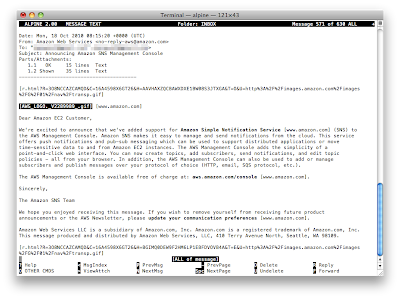
1. First, compile "alpine" using MacPorts by "port install alpine".
2. Then, run "alpine" for the first time, which should generate a nice .pinerc at your home directory.
3. Okay, just change these few lines accordingly:
That's it!!! Welcome to 2010.
Turns out using "alpine" (the modern version "pine") is pretty straight forward with GMail.

1. First, compile "alpine" using MacPorts by "port install alpine".
2. Then, run "alpine" for the first time, which should generate a nice .pinerc at your home directory.
3. Okay, just change these few lines accordingly:
# Over-rides your full name from Unix password file. Required for PC-Alpine.
personal-name=YOUR_NAME

# Sets domain part of From: and local addresses in outgoing mail.
user-domain=gmail.com

# List of SMTP servers for sending mail. If blank: Unix Alpine uses sendmail.
smtp-server=smtp.gmail.com:587/tls/novalidate-cert/user=YOUR_GMAIL_USERNAME@gmail.com

# Path of (local or remote) INBOX, e.g. ={mail.somewhere.edu}inbox
# Normal Unix default is the local INBOX (usually /usr/spool/mail/$USER).
inbox-path={imap.gmail.com/ssl/novalidate-cert/user=YOUR_GMAIL_USERNAME@gmail.com}inbox
That's it!!! Welcome to 2010.
2010/09/25
Sounds Right 1.0 is now available on AppStore

Sounds Right 1.0 (iTunes AppStore link) / (British Council hosted page) has been available on the AppStore. I am glad that the reception is fairly good given this is one of my first iPad apps shipped.
Subscribe to:
Posts (Atom)